HSBC Everyday Global Account

We currently don't have this product on Finder
- Account keeping fee
- $0
- ATM withdrawal fee
- $0
- Overseas ATM withdrawal fee
- $4.5
- Overseas transaction fee of transaction value
- 3%
Our verdict
You can earn 2% cashback on tap and pay purchases and hold 10 different currencies with this everyday transaction account.

Arguably the biggest benefit of this account compared to other transaction accounts is that you can earn 2% cashback on tap and pay purchases under $100. This is capped at $50 per month, which allows you to earn up to $600 over the year just in cashback. To be eligible for the cashback benefit you need to deposit $2000 a month, which could be easy to do if you get your salary deposited into the account.
This account won Best Global Debit Card in the 2026 awards.
As well as the cashback perk, you can hold up to 10 different currencies in the account at once which allows you to pay like a local when you’re overseas. There are no international transaction fees which can also save you a lot of money when traveling, as these can be as high as 3.5% of the transaction value with other accounts.
Even if you don’t travel much, you can still save money from paying no international transaction fees when shopping online from international retailers.
Pros
-
Earn 2% cashback on tap and pay purchases under $100, up to $50 in cashback per month (subject to terms and conditions)
-
$0 monthly account fees and international account fees
-
Buy, hold and spend in up to 10 currencies with the HSBC app
-
Apple Pay and Google Pay available
Cons
-
You can only pre-load up to 10 currencies
-
Fees apply to deposit foreign currency notes into the account
Details
Key details
| Product Name | HSBC Everyday Global Account |
| Monthly account fee | $0 |
| Card access | Visa |
| Own network ATM fee | $0 |
| International ATM Fee | $4.50 |
| International transaction fee | 3% |
| Monthly deposit required to waive account fee | N/A |
| Contactless Payments | Apple Pay,Google Pay |
Eligibility
| Minimum Age | 16 |
| Joint account availability | No |
| Minimum opening deposit | N/A |
| Residency status | Have an Australian Residential Address |
Key features
- Hold 10 currencies at once
- Earn 2% cashback on tap and pay purchases (up to $50 per month)
- No international transaction fees
- No account keeping fees
- No international ATM fees charged by HSBC
- Apple Pay, Google Pay available
- 2026 Finder Award winner for Best Global Debit Card
- Linked Visa Debit Card
- Mobile banking app available
Account benefits
An everyday transaction account and travel debit card in one
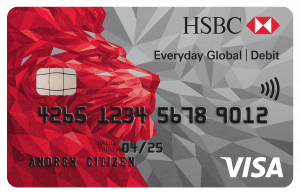
This account is designed to be used as an everyday transaction account to use at home in Australia as well as a great option for travelling. Use the account at home to pay bills and make daily purchases in-store or online, just like you would with a regular bank account, or take it overseas to avoid international transaction fees.
Use the account anywhere worldwide
This account comes with a free linked Visa Debit card which you can use in-store or online wherever Visa is accepted around the world.
Earn extra cash with the 2% cashback benefit
When you deposit $ a month you'll be eligible to earn 2% cashback on tap and pay purchases under $100. You can earn up to $50 cashback each month. The eligible purchases are those made in Australia in AUD with Visa payWave, Apple Pay or Google Pay.
Pay like a local overseas
You can hold up to 10 different currencies in the account, including AUD, USD, EUR, SGD, NZD, JPY GBP, CAD, HKD and CNY (currency restrictions apply). You can load up on the currencies when the exchange rate is good, and then use the currencies when travelling without the need for currency conversion.
Save money on international transaction fees
You won't have to pay international transaction fees when using your debit card overseas. Plus, you can use the card when you're at home to shop online from overseas stores while still avoiding this fee.

No international ATM fees charged by HSBC
HSBC won't charge you a fee when using ATMs overseas. However, note that other ATM fees charged by the local operator may still apply.
Withdraw cash overseas, even when you don't hold that currency in your account
If you're travelling in a country that doesn't use one of the 10 supported currencies, don't worry, you can still access cash in the local currency. Use your debit card at international ATMs to withdraw the local currency, and it'll be withdrawn from your AUD balance and converted at the current Visa exchange rate.
Access Visa currency exchange rates
When you use an ATM or make a transaction overseas, funds will automatically be debited in that country's currency, providing you hold that country's currency in your account. There's no extra step where funds are converted from Australian dollars into the local currency, so you don't lose out if the exchange rate is less than favourable at the time of your transaction.
Where you don't have sufficient funds in that currency or don't hold that currency, the funds will be automatically converted from Australian dollars into the local currency at the current Visa exchange rate.
Online transfers between currencies
You can transfer money between currencies online via Internet Banking or the mobile app. Real time currency exchange rates will apply for certain currencies when the foreign currency (FX) market is open (excludes weekends, currency and US holidays). On weekends after currency cut-off times, a set exchange rate will apply that includes an additional weekend spread.
Deposit foreign notes into the account
If you find you've got some local currency left in your wallet you can deposit foreign currency notes into the account at a HSBC branch, which could be handy if you come home from overseas.
Correct currency is automatically applied to transactions
You don't have to worry about remembering to switch between currencies when you're using the account overseas. The correct international currency will be applied automatically when withdrawing cash or making deposits. This is also the case for online transactions.
Make contactless purchases without your debit card with Apple Pay or Google Pay available
You can use Apple Pay or Google Pay to make contactless purchases in-store without using your physical debit card.
Visa payWave is also available.
The HSBC Everyday Global Account was highly commended for Best Transaction Account in the 2026 Finder Awards. 
HSBC scored in the Finder Awards
Compare other products from HSBC
- HSBC credit cards
- HSBC home loans
- HSBC savings accounts
- HSBC term deposits
- HSBC personal loans
- HSBC car loans
- HSBC car insurance
Sources
Your reviews

Alison Finder
Editorial Manager, Money
You are about to post a question on finder.com.au:
- Do not enter personal information (eg. surname, phone number, bank details) as your question will be made public
- finder.com.au is a financial comparison and information service, not a bank or product provider
- We cannot provide you with personal advice or recommendations
- Your answer might already be waiting – check previous questions below to see if yours has already been asked
Finder only provides general advice and factual information, so consider your own circumstances, or seek advice before you decide to act on our content. By submitting a question, you're accepting our Terms Of Service and Finder Group Privacy & Cookies Policy.
This site is protected by reCAPTCHA and the Privacy Policy and Terms of Service apply.

Richard Whitten Finder
April 16, 2026
Hi Bonnie,
According to HSBC: “Once you deposit $2,000 or more into your Everyday Global Account, you’ll qualify for 2% cashback on eligible tap and pay purchases under $100.” You need to tap and pay to earn the cashback, using Visa payWave, Apple Pay or Google Pay.
That’s a one-off deposit. Not monthly.
Show more Show less

Michelle
September 22, 2025
I’m going to Japan in just over 2 weeks and am looking at this or Macquarie as a travel card (I currently only have an ANZ debit card).
I would use it to potentially take cash out at an ATM in Japan and/or pay for items in retail stores with applepay etc.
How do you deposit money onto the HSBC card? Do I simply transfer through payID? Will it automatically be available on the card in Yen? Not sure how this part works, it doesn’t specify above in the details.
Can you further explain?
Show more Show less
Alison Banney Finder
September 24, 2025
Hi Michelle,
You can open a mini ‘sub account’ for the HSBC Everyday Global for Japanese Yen. You can open this sub account via HSBC Online Banking or the HSBC mobile banking app. Once this is opened, yes you can transfer funds into the account directly.
When you’re in Japan you can use your HSBC Visa Debit card like normal and the payment will automatically be made using the Yen you have in your account. If you don’t have enough Yen, you can still use the account and it’ll take the money from your AUD balance instead and convert it into Yen for you.
Hope this helps.
Alison
Show more Show less
Jewel
June 14, 2025
I am looking for an account that I can withdraw cash overseas and not just a visa card to use there. Can this account let me do that?
Alison Banney Finder
June 16, 2025
Hi, yes you can withdraw cash overseas with this account.
Thanks,
Alison.
Cloud
May 23, 2025
When I send USD from my overseas account, will only a 10 AUD incoming transfer fee be deducted from my Global Account? Are there any other charges for holding or using the Global Account?
Is there a maximum daily limit for incoming USD to my Global Account?
Are only cash withdrawals free at HSBC partner ATMs, or can I also deposit money for free?
Can I withdraw USD from HSBC ATMs abroad, for example in Turkey? And what is the maximum amount I can withdraw daily from my account while abroad?
Show more Show less
Alison Banney Finder
May 26, 2025
Hi,
There are no ongoing account fees for holding or using the Global Account.
In terms of daily limits, this is usually the case with the bank that you’re sending the money from (rather than recieving) so it’s best to check with that bank if they have any daily limits for sending money.
Yes you can also deposit money at HSBC branch ATMs within Australia for free.
HSBC’s daily ATM withdrawal limit is AUD $2,000 – but this can be temporarily increased to $5,000 if needed.
Thanks,
Alison
Show more Show less
collin
May 21, 2025
can i add an additional card for my daughter 20yrs old to access atm, online and local purchases?
Richard Whitten Finder
May 22, 2025
Hi Collin,
Looks like you can apply to add an additional cardholder online via HSBC’s online banking.
Bonnie
March 25, 2026
Hi, just wondering how much deposit I need to place in the global account in order to have cash back 2%. Also, do I need to deposit the money in the account regularly to enjoy this benefit as I am retired. Thanks.