Hardware wallets offer cold storage, safeguarding your crypto private keys offline from online threats.
Your wallet choice depends on coin support and ease of use; prices often vary from $49.99 to $399.
Always buy directly from manufacturers and securely back up your recovery phrase to protect funds.
Each year, we conduct an extensive review of the best hardware wallets available in Australia. To arrive at our picks, we review the best hardware wallets on the market for overall safety, functionality, cost and supported digital assets — including coins, tokens and NFTs.
Billfodl – Bonus: Best recovery phrase backup device
You've probably noticed that brands like Ledger and Trezor dominate our list of the best hardware wallets and have done for the last few years.
These companies created some of the first-ever cold storage wallets and each has a long track record of producing devices that have successfully protected customers' assets.
This isn't to say that other hardware wallets can't offer suitable security and cold storage functionality.
Due diligence is especially important regarding crypto self-custody, so we've chosen only to showcase wallets that our team has first-hand experience with or that meet our strict criteria for inclusion.
Our selection of the best hardware wallets uses our custom methodology and is updated by our editorial team throughout the year to reflect changes in the market.
"Best for" picks are those we've evaluated to be best for certain product features or categories. If we show a "Promoted" pick, it's been chosen from among our commercial partners based on factors that include special features or offers and the commission we receive.
Keep in mind that these picks are suggestions and that the best hardware wallet for you will depend on your individual needs. There are other cold wallets on the market not included in our picks.
This is not an endorsement of cryptocurrency or any specific provider, service or offering. It is not a recommendation to trade or use any services.
Find a crypto hardware wallet
Here you can compare the most popular crypto hardware wallets by price and number of supported coins.
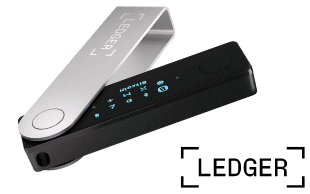
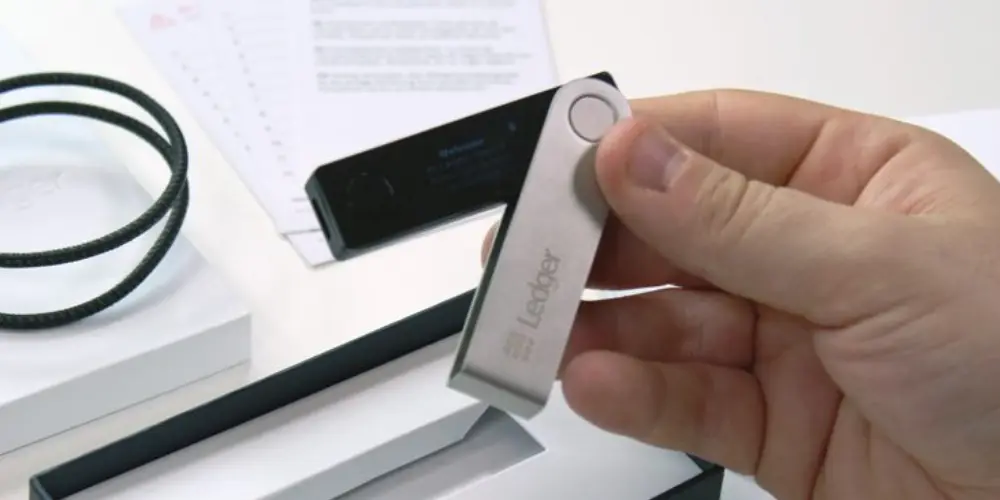
The Ledger Nano X is the top-tier USB-style hardware wallet from Ledger, a company that has produced industry-leading security for self-custody of digital assets since 2014.
It remains our pick for the best overall hardware wallet again in 2025 and for good reason. It's a great balance of price, features and convenience.
You can securely store the keys to over 5,500 crypto assets and NFTs and put your assets to work through staking — all while on the go.
Unlike Ledger's cheaper Nano S Plus model, the Nano X has Bluetooth functionality and is compatible with both Android and iPhone for maximum portability.
Of the hardware wallets we compared, no other device provided this level of security alongside such a broad range of features at a competitive price.
Mind you, while Ledger devices have not had any recorded security breaches, the software is closed-source. This means that it is not open to independent scrutiny, and you must place some degree of trust in the manufacturer.
Pros
Manage over 5,500 crypto assets
Run up to 100 blockchain apps simultaneously
Highly secure - no Ledger device has ever been hacked
Can be synced with third-party wallets like MetaMask to use with DeFi apps
Android and iOS compatibility
Bluetooth functionality
Cons
Pricier than alternatives
Can't stake many cryptos via Ledger Live
Closed-source software
2. Ledger Nano S Plus — Best value hardware wallet
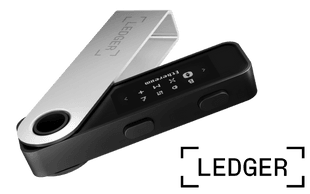
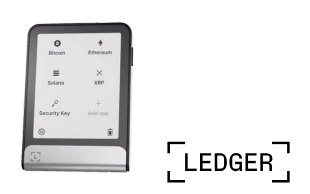
The Ledger Nano S Plus is our top pick for best value because it offers the same high level of security and most of the same features as the Ledger Nano X — but at nearly half the price.
The Nano S Plus also supports cold storage for 5,500 crypto coins, tokens and NFTs, as well as staking and crypto exchange features through Ledger Live.
If you're content with safe offline storage of your private keys and don't need to use the device on the go with a mobile phone app – there's no Bluetooth functionality in the Nano S Plus – then this hardware wallet will likely tick a lot of boxes.
One potential issue with Ledger devices is that the software is closed-source, which means it is not open to independent scrutiny or review.
The Ledger Nano S Plus strikes such a good balance between security, coin support, features and relative affordability that we were hard pressed to find a better value option on the market.
Pros
Manage over 5,500 crypto assets
Run up to 100 blockchain apps simultaneously
Highly secure - no Ledger device has ever been hacked
Can be synced with third-party software like MetaMask
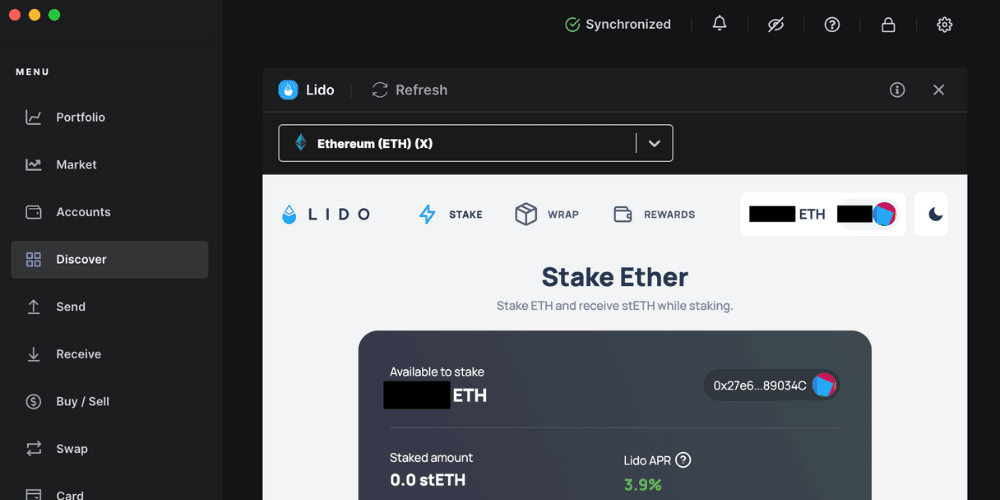
Ledger is arguably the best hardware wallet provider for staking, and the Ledger Flex is the pick of the bunch.
With support for more than 50 third-party wallets and 5,000+ coins, and stake coins like Ethereum (ETH) and Polkadot (DOT) using th native Ledger Live software.
You can also stake over 25 cryptocurrencies through third-party integrations, including crowd favourites like Avalanche (AVAX) or Solana (SOL) as well as 1,000+ DeFi protocols.
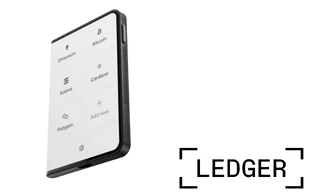
With the next-gen E Ink touchscreen, it's a much more polished and user-friendly experience compared to the Nano S Plus and Nano X.
The top-of-the-line Ledger Stax was created by Tony Fadell – the co-creator of the iPod and iPhone.
The device is just as secure as previous Ledger hardware wallets, but it's more stylish and was designed with everyday users in mind – not just tech geeks.
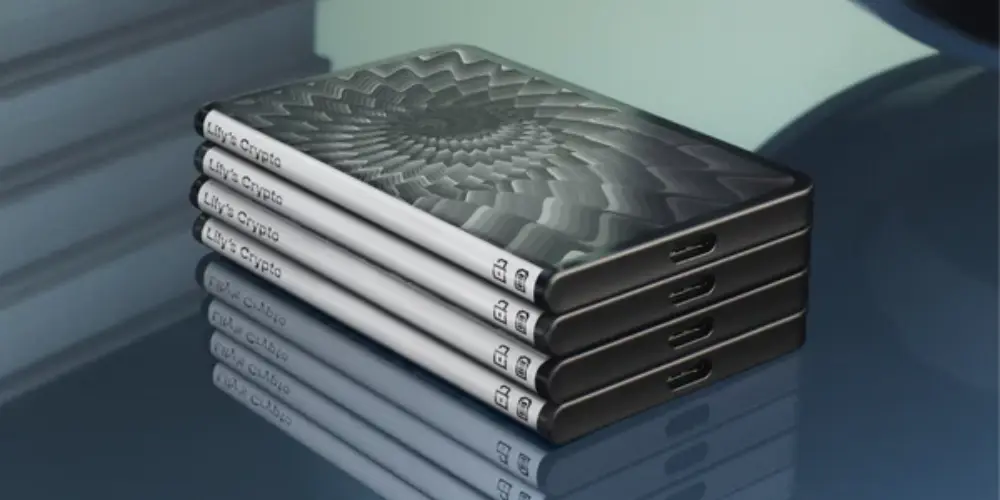
The stand-out feature of the Ledger Stax is its 3.7in (672x400px) electronic ink (e-ink) touchscreen, which makes managing your assets and clear-signing transactions via the device easy and convenient.
Other features that separate it from previous iterations of Ledger wallets include the fact that you can charge the device wirelessly and customise the lock screen with one of your NFTs.
The device is the size and shape of about 5 credit cards stacked on top of one another, whereas previous Ledger hardware wallets resembled a flash drive.
One potential issue with Ledger devices is that the software is closed-source, which means it is not open to independent scrutiny or review.
Pros
Large e-ink touchscreen
Wireless Qi charging
Bluetooth-enabled
Enables clear-signing (to prevent hacks and phishing attacks)
CC EAL 5+ security certification (highest level of security against penetration tests)
Lock screen can be customised with NFTs
Strong casing
Sleek design
Cons
Most expensive Ledger hardware wallet
Can't stake many cryptos via Ledger Live
Closed-source software
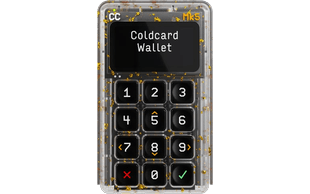
5. COLDCARD Mk5 — Best hardware wallet for Bitcoin
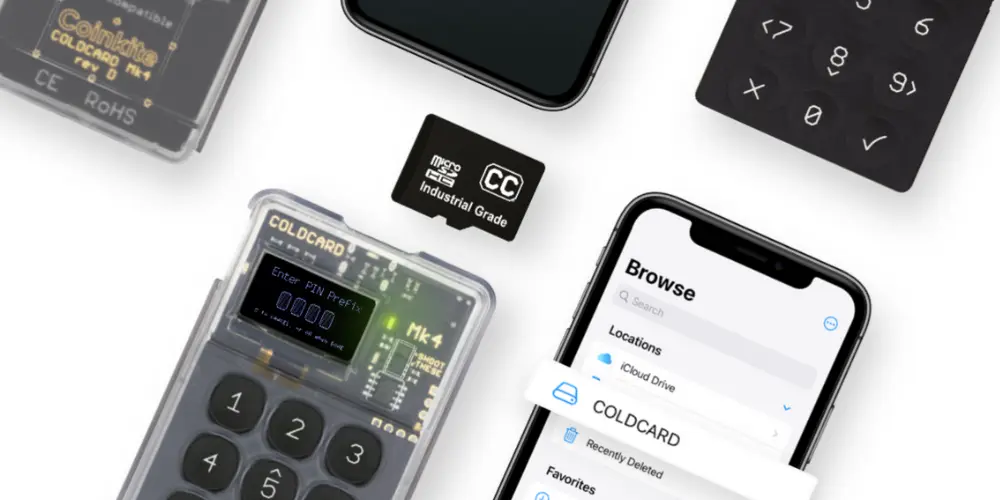
As a specialist Bitcoin hardware wallet, the COLDCARD Mk5 doesn't have as many of the features of Ledger or Trezor devices, but it does keep the private keys to your BTC stored securely offline.
The COLDCARD Mk5 was created by cypherpunks — technologists who advocate for privacy-enhancing cryptography — for Bitcoin minimalists.
Like Ledger hardware wallets, the COLDCARD Mk5 uses a Secure Element chip — the same type of chip found in passports and credit cards — to protect the private keys to your Bitcoin.
Using the Sparrow Wallet desktop software and a microSD card, you can send Bitcoin to and from your COLDCARD Mk5 without ever plugging the device in. The obvious downside to this is that you'll have to purchase a microSD card adapter for your computer if you plan to transfer data this way.
Pros
Highly secure
Contains 2 Secure Element chips sourced from different manufacturers
Doesn't require a connection to computer
Features a high-contrast 128 x 64 pixel screen for messaging
Multisig enabled
Cons
Only supports BTC
The user interface for Sparrow Wallet is less intuitive than competitor alternatives
You will have to purchase a microSD card adapter for your computer if you prefer to transfer data via the card
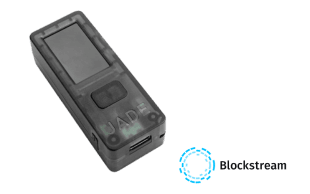
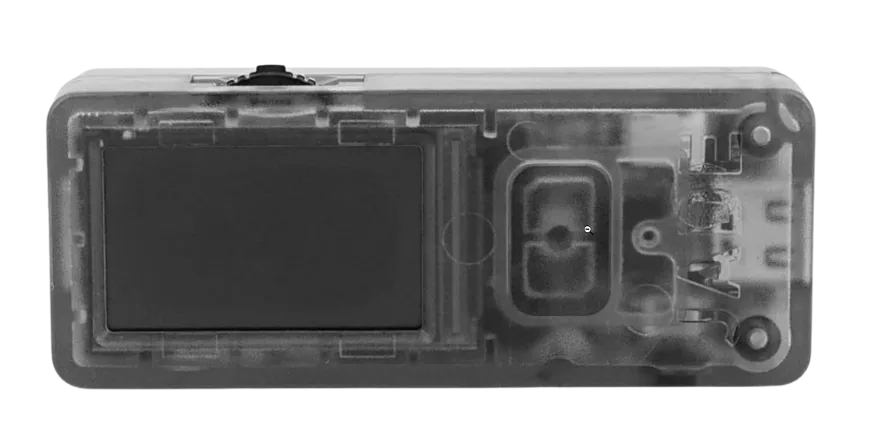
6. Blockstream Jade — Best for Bitcoin Layer 2 assets
Blockstream is involved in many Bitcoin-related endeavours from Bitcoin mining to the development of the Liquid Network — a Layer 2 on Bitcoin for digital asset issuance.
Given its extensive experience with the Bitcoin network, it's no wonder that the Blockstream Jade is one of the most respected hardware wallets in the Bitcoin community.
Like the COLDCARD Mk5 — another beloved Bitcoin hardware wallet — the Blockstream Jade is a secure Bitcoin cold storage wallet designed with open-source code and multisig capabilities.
But the Blockstream Jade differs from the COLDCARD Mk5 in a number of ways including:
Blockstream Jade supports assets like Tether (USDT) on the Liquid Network
Blockstream Jade has native software: Blockstream Green
Blockstream Jade is significantly cheaper
The device also doesn't have a Secure Element chip — the primary security mechanism for the COLDCARD Mk5 and Ledger wallets.
Pros
Developed by a seasoned team that specialises in securing Bitcoin
Affordably priced
Multisig support
Air-gapped with a built-in camera for QR code scanning
Open-source hardware and software code
Supports remote blind server authentication as a security mechanism
Bluetooth-enabled
Offers passphrase protection (a level of security on top of your seed recovery phrase)
Cons
No support for blockchains other than Bitcoin
No Secure Element chip
Bluetooth only works with iOS mobile devices
Bonus: Billfodl — Best recovery phrase backup device
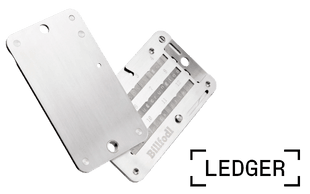
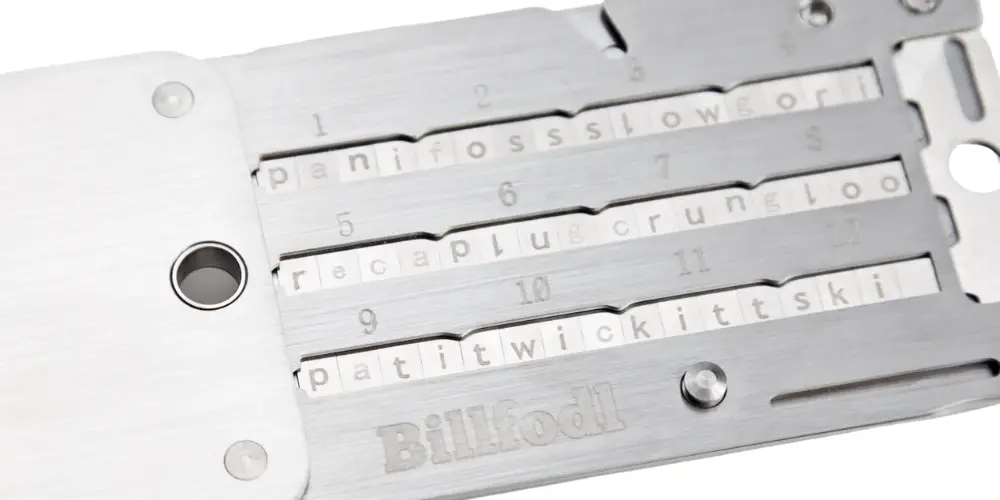
We chose to give Billfoldl an honourable mention as the best recovery phrase backup device because it helps protect your chosen hardware wallet's recovery phrase from fire, flooding and any type of decay.
Most hardware wallets will prompt you to write down your recovery phrase on a sheet of paper when you set up your wallet. But if your recovery phrase sheet gets damaged or lost, you can lose access to your crypto – permanently.
Billfodl is a solid steel case that allows you to stamp your 24-word recovery phrase using metal tiles engraved with letters.
The tiles slide into three different rows on both sides of the device, and the device comes with a cover that swivels over your recovery phrase once you've properly arranged the tiles.
It's worth considering the added layer of security and peace of mind afforded by recovery phrase backup devices like Billfodl if you invest in a hardware wallet.
Pros
Preserves your recovery phrase much better than paper and pen solutions
Reasonably priced
Cons
Slightly bulky design
Sliding tiles into place can be a clumsy experience
What is a hardware wallet?
A hardware wallet is a physical vault designed to offer safe storage for your cryptocurrency private keys. These specially designed hard drives usually connect to your computer or smartphone via USB and, because you keep them offline, provide cold storage for your coins and tokens.
Hardware wallets contain a range of security features to protect your digital currency keys.
They're protected by a PIN and often include other security measures, such as a screen for viewing transaction details and buttons on the device for manually verifying transactions.
There are essentially two separate parts to a hardware wallet. The first part is a desktop, mobile or web client connected to the internet and performs nearly all the same functions as any ordinary hot wallet.
This software wallet creates the transactions but can't sign them — which is where the second part, the physical hardware wallet that contains your private keys, comes in. The transaction must be sent to your offline hardware wallet, verified by you and signed by the device before it can be completed.
15:34
Should I pick a hot or cold wallet?
A hot wallet is any wallet that has an active connection to, or is hosted, on the internet. Hot wallets are more common than cold wallets and are often more user-friendly. Thanks to their connection to the internet, moving funds in and out of these wallets is quick and easy.
Unfortunately, this ease of use also comes with disadvantages, such as making them susceptible to hackers, phishing scams and other vulnerabilities. Examples of hot wallets include those offered by exchanges or web wallets such as MyEtherWallet.
A cold wallet refers to any wallet stored offline. Cold wallet storage can refer to numerous methods, such as creating a paper wallet with a QR code, storing a wallet on an air-gapped computer (disconnected from the internet) or using a hardware wallet.
While considered more secure than a hot wallet, cold wallets are often slow to use, require a physical object and can be damaged in ways hot wallets can't. Hardware wallets are a particular type of cold wallet, popular for their additional security and redundancy features.
Generally speaking, crypto hardware wallets are considered the safest way to store the private keys to your digital assets for the following reasons:
Private keys stored offline. Unlike browser extensions, mobile and desktop wallets — which are exposed to risks like hacking, malware and phishing scams — hardware wallets store the private keys to your assets offline.
12- to 24-word recovery phrase. If you lose your hardware wallet, you can regain access to your private keys using your 12- to 24-word recovery phrase.
PIN and password protected. Hardware wallets are PIN or password protected for additional security.
Our expert says
"Hardware wallets are arguably the best way to store your cryptocurrency - offering a high-level of security while also giving you full control over your holdings. If you're serious about investing in cryptocurrency, a hardware wallet is a sensible purchase."
thomas.stelzer
How to choose the best hardware wallet
If you've decided that offline storage in a hardware wallet is the best option, the next step is actually choosing a wallet. There are several reputable options available, so make sure you consider the following factors when deciding which one is right for you:
Security features. How secure is the wallet, and what features does it offer? Is it secured by a PIN? Does it include its own screen? Can you verify transactions by manually pressing buttons? Have there ever been any reported instances of security breaches involving the wallet?
Ease of use. Consider how easy the wallet is to set up and use. If you don't completely understand the processes involved, there's always the very real risk of losing some or all your funds. With this in mind, make sure the wallet makes it as simple and straightforward as possible to keep track of your crypto holdings.
Supported coins. Check the fine print to make sure the coins, tokens or NFTs you want to store are actually supported by the wallet you're considering using.
Supported operating systems. Is the device compatible with the operating system you're running on your computer or smartphone?
How you actually access your crypto. Hardware wallets usually come with their own native software interface (like Ledger Live or Trezor Suite). Many devices also allow you to interact with your crypto holdings using a third-party wallet — for example, if you were storing Ether (ETH) on a Ledger Nano X, you could manage your tokens using either the Ledger Live app or the third-party wallet MyEtherWallet.
Back up and restore. Read up on the process required to back up your wallet, and restore your coins if something goes wrong. Is this process easy, and will it increase the level of security for your funds?
Price. This is an important factor for many as hardware wallets aren't free. Compare the prices of competing wallets, including exchange rates and shipping costs if buying from an overseas retailer, to get a better idea of which option offers the best value.
Portability. This may not be an important feature for all users, but if you want to transport your wallet with you, consider how easy it would be to carry it around daily.
Independent reviews. Do your research to find some independent reviews of any wallet you're considering. What do those reviewers list as the wallet's pros and cons? What problems (if any) have they had when using it, and do they recommend it?
By considering these important features, you'll have a much better idea of which hardware wallet is right for you.
Ask the experts: What are the most important features in a crypto wallet, besides security?
"A wallet should have an intuitive and easy-to-use interface, making it accessible to both beginners and experienced users. The ability to store and manage a variety of cryptocurrencies is crucial, as the crypto market consists of numerous digital assets. A good wallet should provide a reliable backup and recovery system to protect against data loss or theft of the wallet's private keys. Access to transaction history and reporting features is essential for tracking your cryptocurrency holdings and activities."
Paul Levy, Senior Lecturer, University of Brighton
"Interoperability with web3-enabled sites is probably the most important feature after security for crypto wallets today. WalletConnect makes it possible to use a wide range of wallets to interact with web3 sites. Cross-chain compatibility and the ability to do swaps inside the wallet can also make life a lot easier."
Ruadhan O, Creator, Seasonal Tokens
"The wallet should be easy to use and navigate. Users should be able to easily send, receive, and store their cryptocurrencies. The wallet should support the cryptocurrencies that users want to use. Multi-signature wallets require multiple signatures to authorise transactions. This makes them more secure than single-signature wallets.Cold storage wallets allow users to store their cryptocurrencies offline. This is the most secure way to store cryptocurrencies, as it protects them from hackers. Some crypto wallets offer additional features, such as staking, lending, and decentralized exchange (DEX) integration. "
Mitesh Shah, Founder & CEO, Omnia Markets
Hardware wallet pros and cons
Pros
Considered to be the most secure way of storing private keys — more so than software or Web3 wallets
Give you full control of your private keys
Support a wide range of coins and tokens
Allow you to recover your coins if your wallet is lost or stolen
Cons
You'll need to buy one — and prices can run up into the hundreds of dollars
Not quite as convenient as other wallet options when you need quick access to your crypto
Not all coins are supported by every wallet
Hardware wallet security tips
Keep the following tips in mind to help ensure the security of your crypto coins and tokens:
No wallet is 100% secure. If you want to ensure the safety of your funds, the buck stops with you. The most secure wallet in the world is useless unless you properly follow wallet setup or security instructions, so exercise caution at all times.
Only buy from a reputable seller. Only buy hardware wallets direct from the manufacturer or an authorised reseller since buying a second-hand wallet puts you at risk of hacking and theft.
Keep private details private. You should never disclose your hardware wallet's secure PIN and your crypto private keys to anyone.
Don't lose your recovery seed. You need your recovery seed to access your crypto coins if your wallet is lost or stolen, so make sure you write this seed on a piece of paper and keep it safe. Better yet, write it on several pieces of paper and keep them all in separate but secure places. Consider purchasing a recovery phrase backup device like Billfodl for even greater peace of mind.
Risks of using a crypto wallet
When you use a non-custodial crypto wallet, you reduce the risk of a third-party custodian like a crypto exchange going under and taking your funds with it. However, there are still risks to using both software and hardware crypto wallets.
Software wallets are always connected to the internet, and, for that reason, can more easily be hacked. Also, if the code for a software wallet is closed-source, you are placing trust in the creator of that wallet to not extract your private keys and, therefore, gain access to the digital assets you manage via the wallet.
Hardware wallets are generally more secure than software wallets in that they remain disconnected from the internet when they aren’t in use, while some never have to be connected to the internet. However, if you use a hardware wallet that has native software — like a Ledger or Trezor wallet — there is always the risk that your private keys can be extracted through an issue with the underlying software.
For extra safety, it’s best to create a multisignature — or “multisig” — set up in which you use two or more wallets to sign transactions and protect your crypto.
Methodology
To evaluate our 2026 picks for the best crypto hardware wallets, we compared 10+ cold storage wallets on a range of criteria, including the following:
Crypto and blockchain support. Is it compatible with multiple blockchains and how many coins and tokens are supported?
Usability. Is the device simple to use and appropriate for beginner crypto investors?
Security. How is the recovery phrase stored, and how might this impact the security of the wallet?
Pricing. How much does the hardware wallet cost, and how does it compare to other products on the market?
Extra features. Does it provide support for NFTs or extra features like staking?
Mobile management. Can you manage your portfolio from a smartphone?
Web3 accessibility. Can you access Web3 and decentralised applications (dapps) directly from the device?
Crypto wallets market update: September 2025
Coinbase Wallet has rebranded as Base App to combine wallet functions with social features, trading and gaming.
Kylie Purcell is the Senior Investments Editor for Finder.
Frequently asked questions
A hardware wallet isn't essential, no. You can leave the private keys for your crypto in the hands of a centralised exchange. But you risk losing access to your assets if the exchange becomes insolvent or gets hacked.
No. Different hardware wallets support different cryptocurrencies. For example, Ledger wallets can store the private keys to over 5,500 crypto assets, while the COLDCARD Mk5 can only store the private keys to your Bitcoin.
Of the hardware wallets we reviewed, Ledger's support for more than 5,500 coins, tokens and NFTs puts its nose in front of the competition.
Of the wallets we reviewed, Ledger wallets have the best security track record.
No Ledger wallet has ever been hacked, but researchers have pointed out vulnerabilities in older versions of the COLDCARD wallet and the Trezor Model One — each of which has now been addressed by the wallets' teams.
MetaMask is the most trusted crypto wallet, according to the results of the most recent Finder Customer Satisfaction Awards. It won the award for Most Trusted cryptocurrency wallet, with Trust Wallet and Atomic Wallet the runners-up.
Sources
Disclaimer: Cryptocurrencies are speculative, complex and involve significant risks – they are highly volatile and sensitive to secondary activity. Performance is unpredictable and past performance is no guarantee of future performance. Consider your own circumstances, and obtain your own advice, before relying on this information. You should also verify the nature of any product or service (including its legal status and relevant regulatory requirements) and consult the relevant Regulators' websites before making any decision. Finder, or the author, may have holdings in the cryptocurrencies discussed.
Tom Stelzer is a journalist with 6 years of experience covering personal finance, specialising in investment and cryptocurrency. With a Master of Media Arts and Production and a Bachelor of Communications in Journalism from the University of Technology Sydney, Tom provides expert analysis on digital assets and market trends, helping readers navigate the fast-evolving world of finance.
See full bio
Frank is a cryptocurrency expert whose work aims to simplify the complexities of this evolving space for a broad audience. His byline has appeared in Forbes and Bitcoin Magazine. Frank holds multiple advanced degrees, including an MBA in Finance from Pace University and a Master of Social Work from Hunter College. Frank was a Cryptocurrency Writer at Finder from 2022 to 2024.
See full bio
See how the Trezor One compares in the world of crypto hardware wallets.
Important information about this website
Finder is a comparison service. We do not compare every product or every provider in the market.
We make money through commercial arrangements with some of the providers on this site. Products marked 'Sponsored', 'Promoted', 'Featured' or 'Advertisement' appear as a result of a commercial arrangement.
Our editorial content, product reviews and any 'Top Pick' designations are prepared independently of these commercial arrangements.
The default order of products in our tables can be influenced by commercial arrangements. You can re-sort or filter using the controls above each table.
Some content on this site may be generated or supported by AI tools. You should verify details directly with the provider.
Finder is one of Australia's leading comparison websites. We are committed to our readers and stand by our editorial principles.
Our comparison service does not include every product or every provider in the market. Some product issuers offer their products under multiple brands or through associated companies. Where we can, we identify the underlying issuer so you can compare like with like, but you should always check with the provider directly to confirm which brand you are dealing with.
Finder is a comparison website and an intermediary. We are not a product issuer and we do not provide personal financial or credit advice. When you click a link to a product, or apply for a product through our site, you deal directly with the product issuer. We may receive a referral fee, commission or other payment from the issuer if you click through, apply or take out a product. We describe these arrangements in more detail under 'How we make money' below.
Product features, fees, terms and eligibility criteria are set by the product issuer and may change. We rely on information supplied by issuers when we present product details on our site. Before you apply for or take out any product, you should confirm the details directly with the issuer.
We earn revenue from Finder in four principal ways:
Referral fees and commissions. When you click a product link, complete an enquiry form or apply for a product through our site, we may receive a referral fee, commission or other payment from the product issuer. We may also receive payment based on the volume of leads or conversions we send to an issuer.
Sponsored placements. Products marked 'Sponsored', 'Promoted', 'Featured' or 'Advertisement' appear as a result of a commercial arrangement between Finder and the issuer. These labels always indicate a paid placement. We do not use them for editorial choices.
Display advertising. Banner advertising, newsletter advertising and similar display ads on our site are paid by advertisers.
Content sponsorship. Some articles, videos and social media posts are sponsored by an issuer and are clearly labelled as such.
Our editorial opinions, product reviews and any 'Top Pick' designations are prepared independently of these commercial arrangements. A 'Top Pick' is an editorial choice made by our writers and editors based on the criteria described on each comparison page. A 'Top Pick' is not a personal recommendation and does not mean the product is appropriate for your circumstances.
If you would like to know whether we have a commercial arrangement with a specific product issuer, please contact us.
When products are grouped in a table or list, the default order can be influenced by commercial arrangements we have with product issuers. In some categories, sponsored or featured products appear in the top positions of the table by default, and are always labelled as such.
Other factors that influence default order include price, fees and features, and (where relevant) our editorial view of the product.
You can re-sort every comparison table using the controls above the table. You can filter by product features that matter to you. The order you see after re-sorting or filtering is not influenced by commercial arrangements.
Some content on this site is generated or supported by artificial intelligence tools, including our AI-powered assistant FinderBot. AI-generated content may contain errors. Please verify important information directly with the product issuer before making a financial decision. For more information about FinderBot, see the FinderBot Terms of Use and FinderBot Privacy Collection Notice.
Please read our website terms of use and privacy policy for more information about our services and our approach to privacy.
We update our data regularly, but information can change between updates. Confirm details with the provider you're interested in before making a decision.
Our goal is to create the best possible product, and your thoughts, ideas and suggestions play a major role in helping us identify opportunities to improve.