Telstra’s satellite service now lets you use Google Maps, WhatsApp and more


Key takeaways
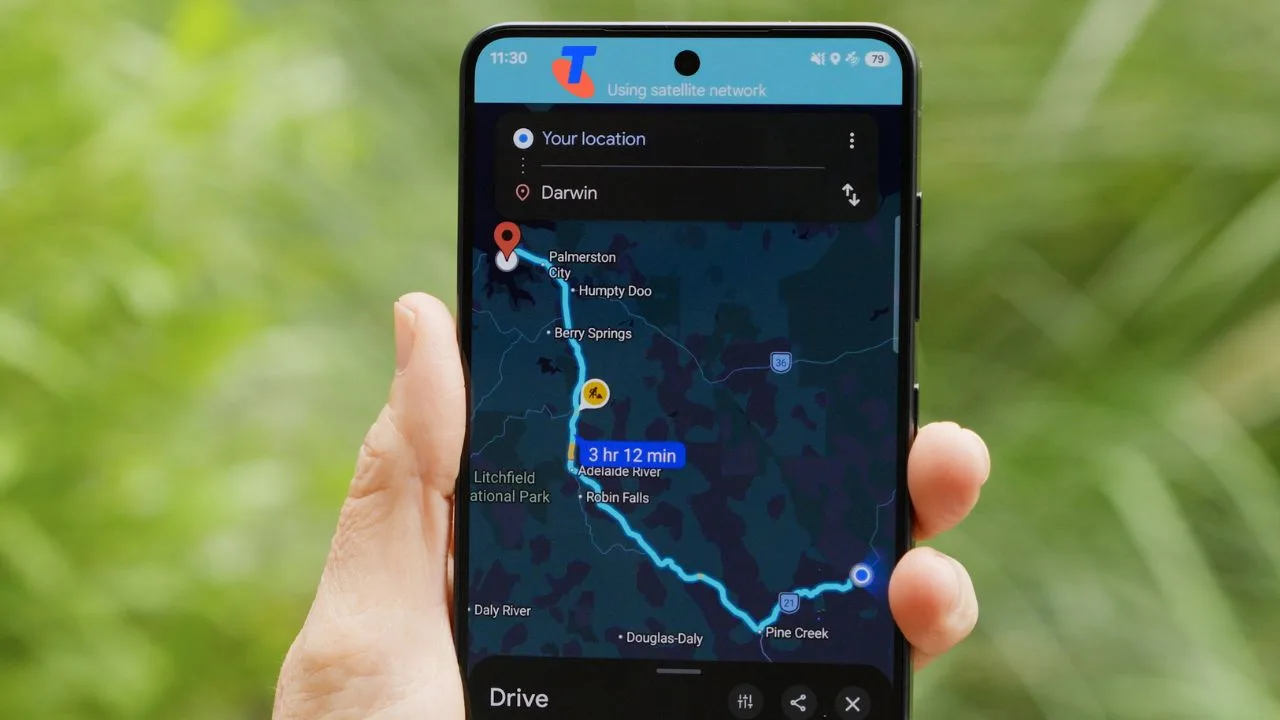
- Telstra customers can now use a handful of apps, including Google Maps, WhatsApp and weather apps, over satellite when they're out of mobile range.
- You'll need an eligible Upfront Mobile or Telstra Business Mobile plan, plus an iPhone 13 or newer, or a Samsung Galaxy S26.
- The service can be a little slow and it's not designed for things like phone calls or streaming. You also can't use it to call Triple Zero.
Telstra's satellite service, which launched last year through its partnership with Starlink, has expanded beyond messaging.
It's called Select Satellite Apps and currently stretches to a small group of everyday apps.
These include:
- Navigation: Apple Maps, Google Maps and AllTrails
- Messaging: iMessage, WhatsApp, Facebook Messenger, Signal and Google Messages
- Weather: Apple Weather, AccuWeather and Google Weather
- Google Fitness and the My Telstra app
When you're out of mobile range but standing outside with a clear view of the sky, your phone will link up to a satellite so that a few apps can continue working.
Because satellite capacity is limited and the service can drop in and out, not every feature inside an app will work smoothly.
This is also why you can't browse the web or stream.
You also can't make Triple Zero calls over satellite.
And one last thing to keep in mind is that you can't download apps or updates once you're off the grid.
You'll want to make sure everything you want is installed, updated and logged in before you head off.
Who can use Telstra's satellite service and which phones are compatible?
You'll need to be on an eligible Telstra Upfront Mobile or Telstra Business Mobile plan.
Prices for its Upfront plans start at $74 a month for 50GB.
There's no extra charge on top of your plan.
You'll also need a compatible phone. Right now that means an iPhone 13 or newer, or a phone in the Samsung Galaxy S26 family.
More Samsung models are expected to be added by the end of 2026.
Are people actually using Telstra's satellite service?
According to Telstra, more than 2.9 million people have connected via satellite on a compatible device over the past 13 months and over 26 million texts have been sent or received.
Daily connections now average more than 200,000, up from around 80,000 at launch.
Usage spikes on weekends and holidays, which suggests people are using it while they're out travelling and exploring.
It's also been useful during emergencies.
During the bushfires around Longwood and Harcourt in Victoria earlier this year, Telstra saw satellite connections triple after fire damage and power outages knocked out parts of its mobile network.
Ask a question