Apple Watch users in Australia can finally get blood pressure alerts


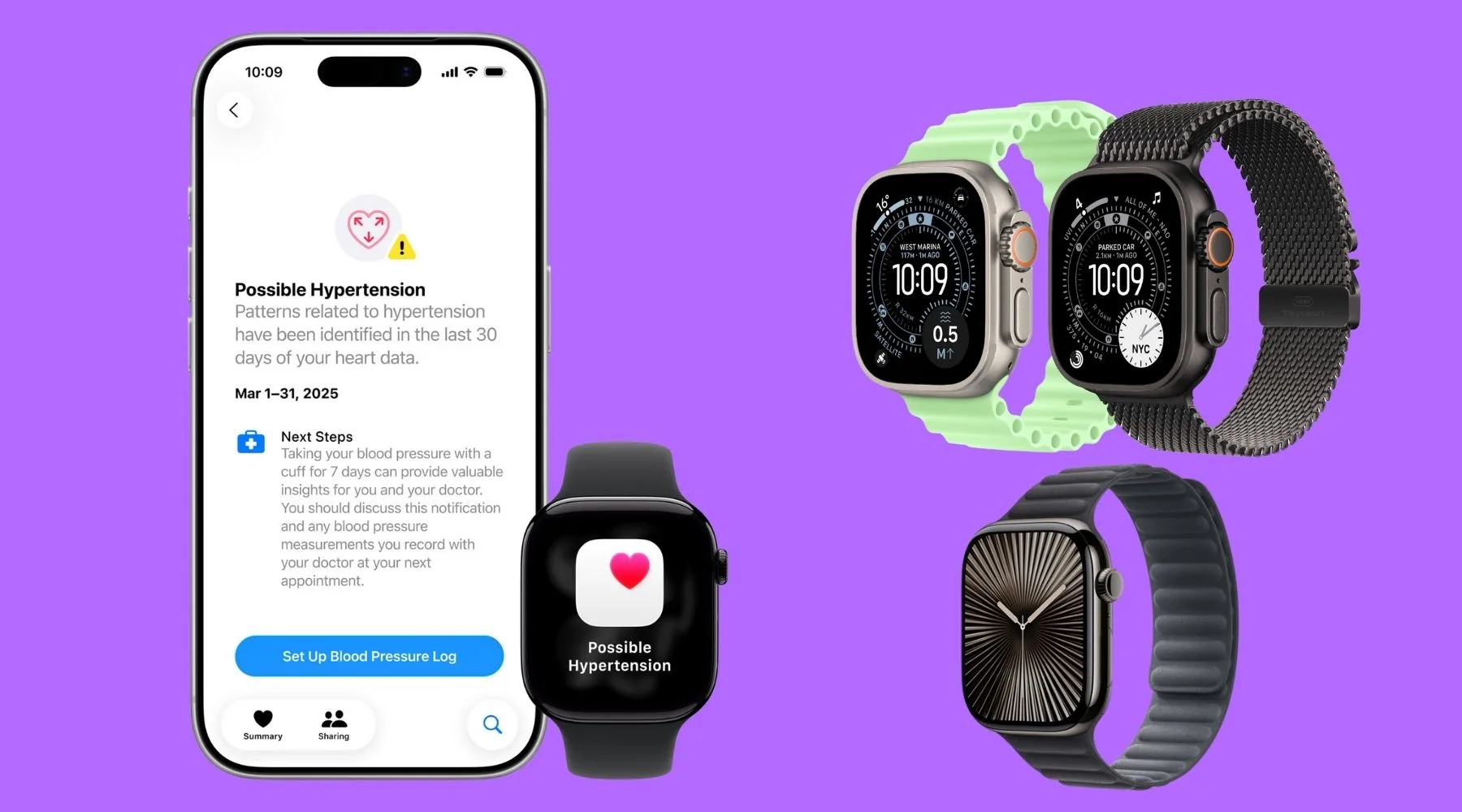
You can set up blood pressure alerts on Apple Watch Series 9, Series 10, Series 11, Ultra 2 and Ultra 3.
Apple has finally introduced hypertension notifications for Apple Watch users in Australia following TGA approval.
When turned on, it will alert users to signs of chronic high blood pressure.
How do hypertension alerts work on the Apple Watch?
The notifications gather data from the optical heart sensor to analyse "how a user's blood vessels respond to the beats of the heart."
There's an algorithm that works in the background reviewing data over 30-day blocks.
It then alerts users if it believes there are consistent signs of hypertension.
"Hypertension awareness in Australia is far too low, so we welcome new technologies that advise people that they might have hypertension and should seek confirmation from their doctor," said Professor Garry Jennings, chief medical advisor at the Australian Heart Foundation.
"Despite high blood pressure causing a greater risk of heart attack and stroke, only about a third of adults with hypertension are aware of it and have their blood pressure lowered to satisfactory levels."
How do I set up hypertension notifications on my Apple Watch?
As long as you have an Apple Watch Series 9 or later, or an Apple Watch Ultra 2 or later, you'll be able to set up the alerts.
You'll also need to be running the latest version of watchOS.
To set up the alerts:
1. Open the Health app on your iPhone
2. Tap the magnifying 'Browse' icon in the bottom left corner
3. Select 'Heart' and then enable notifications
Want the iPhone 17 on a plan plus a $200 gift card?
Sign up to any Optus iPhone 17 plan through Finder, and you'll receive a $200 digital gift card on top of any offer from the telco giant.
For instance, Optus is giving an Apple Watch Series 11 for $180 when you sign up to an iPhone 17 plan.
To get the reward from Finder on top, use the same email you'll sign up to Optus with, and that's it. Your gift card will be sent within 120 days once your purchase is verified.
Here's an example of pricing for a few plans, but if you hit the 'GO TO SITE' button, you can choose any other iPhone 17 plan you'd like.
Sources
Ask a question